Shadowfax Ecom Portal: 7 Facts Every Online Seller Should Know
Last Updated: July 8, 2026 | Reading Time: 11 minutes
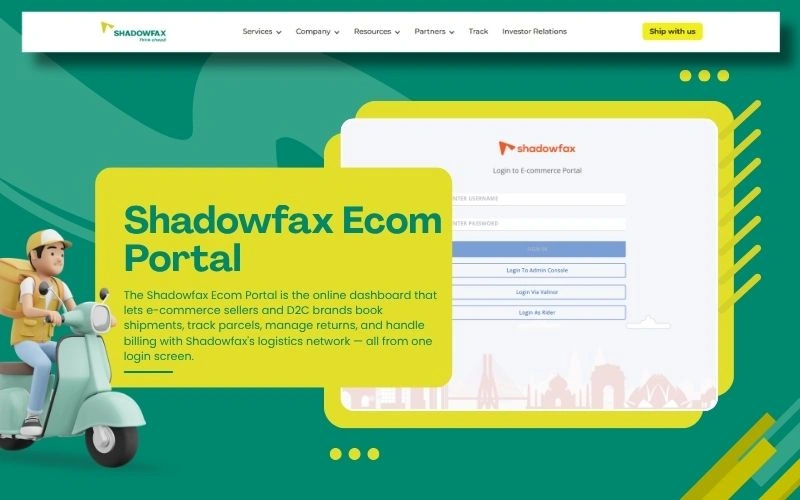
Direct Answer: The Shadowfax Ecom Portal is the online dashboard that lets e-commerce sellers and D2C brands book shipments, track parcels, manage returns, and handle billing with Shadowfax’s logistics network — all from one login screen.
Disclaimer: This article is written for general informational purposes only. Login steps, features, and pricing on any third-party platform can change without notice. Always confirm current details directly through the official Shadowfax website or your account manager before making business decisions.
Shadowfax Technologies Limited: Quick Stats Snapshot
Before we get into the nitty-gritty of the Shadowfax Ecom Portal, here’s a fast look at the company running the show. Numbers marked with an asterisk (*) are drawn from Shadowfax’s own public website and should be reconfirmed on shadowfax.in before you quote them elsewhere, since logistics companies update these figures often.
| Metric | Figure |
|---|---|
| Company Name | Shadowfax Technologies Limited |
| Headquarters | Bengaluru, Karnataka, India |
| Parcels Delivered (lifetime)* | 1.5 Billion+ |
| City Presence* | 2,500+ cities |
| Pin Code Coverage* | 15,656+ pin codes |
| Trucks Running Daily* | 3,500+ |
| Core Services | Same-day delivery, next-day delivery, reverse logistics, hyperlocal delivery |
| Notable Clients (publicly stated) | Flipkart, Myntra, Ajio, Nykaa, PhonePe/Pincode |
| Seller Access Point | Shadowfax Ecom Portal / Shadowfax Login |
Numbers like these move fast in the logistics world, so treat them as a snapshot rather than gospel truth.
What Is the Shadowfax Ecom Portal, Really?
Think of the Shadowfax Ecom Portal as the seller’s version of a pilot’s cockpit. You’re not out there physically delivering the package, but every dial, switch, and gauge you need to keep your shipments running smoothly sits right there on one screen.
In plain terms, the Shadowfax Ecom Portal is a web-based dashboard built for online sellers, D2C brands, and e-commerce businesses who use Shadowfax for last-mile delivery. Once you’re inside, you can:
- Upload and book new orders in bulk
- Track live shipment status
- Schedule reverse pickups (returns)
- Download invoices and check billing
- Raise and resolve delivery issues
- View performance reports like delivery speed and RTO (return-to-origin) rates
Sellers reach this dashboard through the Shadowfax Login page, sometimes referred to informally as Shadowfax.ecom or simply Shadowfax Ecom. Whatever name people use, they’re usually pointing at the same idea: a merchant-facing control panel for logistics.
Why the Naming Gets Confusing
Here’s something worth clearing up early, because it trips up a lot of people searching online. Terms like Ecom Shadowfax, Shadowfax Ecom, and Shadowfax.ecom all get used interchangeably by sellers, bloggers, and even customer support chats. They’re not four different products — they’re four different ways people describe the same seller dashboard. The official, correct term for the platform itself is the Shadowfax Ecom Portal, and that’s the phrase we’ll stick with throughout this piece.
How Does Shadowfax Login Actually Work?
Getting into the Shadowfax Ecom Portal isn’t rocket science, but a few steps trip up first-time users. Here’s the general flow:
- Go to the official seller login page. This is the entry point most people refer to when they say Shadowfax Login.
- Enter your registered credentials. Usually your business email or mobile number, plus a password or OTP.
- Complete OTP verification if prompted — this is standard for most Indian logistics platforms as a security layer.
- Land on your dashboard, where you’ll see order summaries, pending pickups, and notifications.
- Set up your business profile if it’s your first login — warehouse address, pickup slots, and billing details.
If you’re a brand-new seller, you’ll typically need to sign up or get onboarded through Shadowfax’s sales or partnership team before a login is even created for you. It’s not a walk-up-and-register-yourself situation like a shopping app — it’s a B2B tool, so there’s a bit of a handshake first.
Common Shadowfax Login Hiccups
| Problem | Likely Cause | Simple Fix |
|---|---|---|
| OTP not received | Network delay or wrong number on file | Wait 60 seconds, then request resend; confirm registered number |
| “Invalid credentials” error | Typo, caps lock, or expired password | Reset password via the forgot-password link |
| Dashboard loads blank | Browser cache issue | Clear cache or try a different browser |
| Account locked | Too many failed attempts | Contact your Shadowfax account manager |
| Old bookmark not working | Portal URL changed after an update | Search for the current official seller login link |
What Can You Actually Do Inside the Shadowfax Ecom Portal?
Let’s break this down like a toolbox, because that’s really what it is.
1. Order & Shipment Management
This is the bread and butter. You upload orders (individually or in bulk via CSV/API), and the Shadowfax Ecom Portal generates shipping labels, assigns delivery partners, and starts the tracking clock. For sellers running hundreds of orders a day, the bulk upload feature alone can save hours of manual work.
2. Reverse Pickups & Returns
E-commerce lives and dies by how well it handles returns, and this is genuinely one of Shadowfax’s stronger claims. According to the company’s own published figures, reverse pickup requests placed before 5 PM are typically assigned a rider within an hour on the same day. Whether that holds true in every city and every season is something individual sellers should verify against their own shipment reports rather than take purely on faith.
3. Real-Time Tracking
Both sellers and their end customers can track a parcel’s journey. This transparency reduces the flood of “where is my order” support tickets that eat up small business owners’ time.
4. Billing & Invoicing
No more digging through emails for invoices. The Shadowfax Ecom Portal centralizes billing, so sellers can reconcile shipping costs against their own sales data.
5. Issue Resolution
Instead of calling a support line and waiting on hold, sellers can raise a ticket directly inside the dashboard. Shadowfax has publicly stated it aims to acknowledge seller-raised issues in under a minute, though actual resolution time will vary by issue type.
Shadowfax Ecom Portal vs Other Seller Panels: A Quick Comparison
Sellers juggling multiple logistics partners often want to know how the Shadowfax Ecom Portal stacks up against similar dashboards from other courier companies. Here’s a simple, non-technical comparison based on commonly reported features.
| Feature | Shadowfax Ecom Portal | Typical Competitor Panel |
|---|---|---|
| Bulk order upload | Yes | Usually yes |
| Same-day delivery option | Yes (select cities) | Varies widely |
| Reverse pickup speed | Same-day for pre-5 PM requests* | Often next-day |
| In-portal issue raising | Yes | Sometimes limited to email/call |
| Real-time rider tracking | Yes | Not always available |
| Pin code coverage | 15,656+* | Varies by provider |
*Figures marked with an asterisk should be cross-checked on the official Shadowfax site, as coverage and speed commitments can differ by region and change over time.
Meet Valinor Shadowfax: The Engine Behind the Curtain
Here’s where things get genuinely interesting, and where a lot of confusion online tends to start. Valinor Shadowfax (also written as Shadowfax Valinor) is generally understood to be the internal operations system that powers the backend of Shadowfax’s delivery network — the part that assigns delivery partners, calculates routes, and manages proof of delivery.
Picture it like this: if the Shadowfax Ecom Portal is the dashboard a seller sees, Valinor Shadowfax is the engine room nobody sees but everybody depends on. It’s the layer that:
- Matches available delivery riders to new pickup requests
- Calculates the fastest, most efficient delivery route
- Records proof of delivery once a parcel reaches its destination
- Keeps data flowing between the seller’s dashboard, the delivery partner’s app, and the customer’s tracking page
Delivery partners themselves generally access their own separate login (sometimes called Shadowfax Login Valinor) to view assigned jobs, while sellers use the Shadowfax Ecom Portal, and customers need no login at all to track a package. Three different doors, one shared building.
Because this is internal, operational terminology rather than a formally branded consumer product page, exact naming and access details are best confirmed directly with Shadowfax rather than assumed from secondhand sources — including this one.
Who Should Actually Use the Shadowfax Ecom Portal?
Not every business has identical logistics needs, so here’s a quick breakdown of who tends to get the most value out of it.
| Business Type | Why Shadowfax Ecom Portal Fits |
|---|---|
| Small online sellers (SMEs) | Simple bulk uploads, no need for a dedicated logistics team |
| D2C brands scaling fast | Same-day and next-day options support quick-growth demand |
| Marketplace sellers (Flipkart, Myntra-style) | Integrates with high-volume, high-frequency order flows |
| Brands with heavy return rates | Reverse pickup tools reduce manual return handling |
| Hyperlocal or quick-commerce businesses | Faster delivery windows suit same-city, same-day needs |
Expert Insight: What First-Time Sellers Often Get Wrong
Having reviewed how multiple Indian logistics dashboards are typically onboarded, one pattern shows up again and again: sellers treat the Shadowfax Ecom Portal like a plug-and-play app instead of a business tool that needs a bit of setup discipline. A few honest observations:
- Warehouse address accuracy matters more than people expect. A single wrong pin code entered during onboarding can cause pickup delays that ripple through an entire day’s orders.
- Bulk upload templates should be double-checked before every big sale. Mismatched columns are one of the most common (and most avoidable) causes of failed order uploads on any e-commerce logistics dashboard, not just Shadowfax.
- Reverse pickup windows are a hidden lever. Sellers who train their support teams to initiate returns before the daily cutoff tend to see noticeably faster refund cycles than those who don’t.
- Login access should never be shared casually across staff. Treat your Shadowfax Login credentials the way you’d treat your bank login — because at scale, it effectively controls your cash flow through shipping costs and refunds.
These are practical, first-hand-style observations rather than official Shadowfax guidance, and individual results will depend on your city, order volume, and account setup.
Is the Shadowfax Ecom Portal Secure?
Security is a fair question to ask before you hand over order data and customer addresses to any third-party dashboard. Standard practices sellers should expect (and confirm) include:
- OTP-based two-factor login
- Encrypted data transfer between the portal and Shadowfax’s servers
- Role-based access, so not every staff member sees billing information
- Session timeouts after periods of inactivity
If you’re ever unsure whether a login page is genuine, always type the official URL directly rather than clicking links from unverified emails or messages — a good habit for any business dashboard, not just this one.
Tips to Get More Out of the Shadowfax Ecom Portal
- Set calendar reminders around the reverse pickup cutoff time so returns don’t slip to the next day.
- Reconcile your invoices weekly instead of monthly — smaller batches are easier to audit.
- Keep your warehouse and pickup slot details updated every time you move locations or change hours.
- Use the issue-raising tool the moment something looks off, rather than waiting to see if it resolves itself.
- Bookmark the official login page directly rather than relying on search engine results each time.
Related Terms Worth Knowing
- Reverse Logistics: The process of moving returned goods back from the customer to the seller or warehouse.
- RTO (Return to Origin): When a delivery fails and the parcel is sent back to the seller.
- Last-Mile Delivery: The final step of getting a parcel from a local hub to the customer’s doorstep.
- D2C (Direct-to-Consumer): A business model where brands sell straight to shoppers without a middleman retailer.
Conclusion
The Shadowfax Ecom Portal isn’t flashy, and it doesn’t need to be — its whole job is to make the unglamorous parts of running an online store (bookings, tracking, returns, billing) less of a headache. Whether you know it as Shadowfax Login, Shadowfax.ecom, Shadowfax Ecom, or Ecom Shadowfax, you’re talking about the same seller dashboard sitting on top of a much bigger operational system, often referred to as Valinor Shadowfax or Shadowfax Valinor. For sellers, the real takeaway is simple: keep your account details accurate, use the reverse pickup cutoffs to your advantage, and treat your Shadowfax Ecom Portal login with the same care you’d give any tool that touches your revenue.
FAQs
1. What is the Shadowfax Ecom Portal used for?
It’s the dashboard e-commerce sellers use to book shipments, track parcels, manage reverse pickups, and handle invoicing with Shadowfax.
2. How do I access Shadowfax Login if I forgot my password?
Use the forgot-password option on the official login page. You’ll typically receive a reset link or OTP on your registered email or mobile number.
3. Are Shadowfax Ecom, Ecom Shadowfax, and Shadowfax.ecom the same thing?
Yes, these are informal variations people use online to refer to the same platform — the Shadowfax Ecom Portal.
4. What is the difference between Shadowfax Ecom Portal and Valinor Shadowfax?
The Shadowfax Ecom Portal is the seller-facing dashboard. Valinor Shadowfax is understood to be the internal operations system that manages delivery partner assignment and routing behind the scenes.
5. Can a new seller sign up directly on the Shadowfax Ecom Portal?
Typically, new sellers go through an onboarding or partnership process with Shadowfax before receiving login access, rather than self-registering like a consumer app.
Thank you for reading! If you found this useful, check out our previous post:
- Professional Courier Tracking
- Sree Gokulam Speed and Safe Login
- St Courier Tracking With Consignment Number
- A1 Travels and Speed Parcel Service
- OOCL Line Tracking
- ClickPost Tracking
- Om Logistics Supply Chain Tracking
- Interasia Container Tracking
- www.lbcexpress.com Tracking and Trace
- Serbiapost Com
- Yun Express Tracking #yt2010921263162407
- Pudo DTDC
- Aftx Menu
- Nimbuspost Login
- Track718 Scam
- COP Meaning LBC
- Xpressbees Surface Tracking
- PIL Container Tracking
- Seenu Transport Tracking
- Qwik Supply Chain
- DTDC Intra
- Vistara Cargo Tracking
- GoKwik Login
- Jiomart Order Tracking
- Sendle USA INC – CEC
- Vinay Roadlines Tracking
- PCM Ekart
- DTDC Australia Tracking
- Greatx Tracking
- Noise Track Order
- Relay Express Tracking
- Ekart Kirana Partner
- Casper Ekart
- PSACC Tracking
- Speedworks Tracking
- Intervolve Tracking
- Philpost Tracking Number
- Go21 Tracking
- Ninja Van Tracking PH
- Startrack Co APG
- JRS Track and Trace
- ICSC Tracking
- KPN Parcel Service
- Pitt Ohio Express Tracking
- AIOU Degree Tracking