DLIMS Tracking Licence Punjab: 7 Proven Steps to Check Your Status Fast
Last Updated: March 18, 2026
Quick Answer: DLIMS Tracking Licence Punjab is the official online service by Punjab Traffic Police and PITB that lets you check your driving licence application status, verify your licence, and download your e-licence in seconds — using just your 13-digit CNIC number at dlims.punjab.gov.pk.
Disclaimer: This article is for informational purposes only. Information, contact details, and service availability may change. Always verify current details directly at dlims.punjab.gov.pk or call 1915. The author is not affiliated with Punjab Traffic Police, PITB, or any courier services. Delivery times and fees are estimates and may vary. Users are responsible for verifying all information with official sources before proceeding.
DLIMS Punjab — System at a Glance
| Category | Details |
|---|---|
| Full Name | Driving License Information Management System (DLIMS) |
| Launched By | Punjab Traffic Police & Punjab Information Technology Board (PITB) |
| Current Version | DLIMS 2.0 |
| Official Portal | dlims.punjab.gov.pk |
| Mobile App | Rasta App (Android & iOS) / Dastak App |
| Coverage | All districts of Punjab, Pakistan |
| Services Offered | Apply, Track, Verify, Renew, E-Licence Download |
| Tracking Input | 13-digit CNIC (no dashes) |
| Helpline | 1915 |
| Payment System | ePay Punjab (PSID-based via ATM, EasyPaisa, JazzCash, Online Banking) |
| Learner Licence Fee | Rs. 500 per category (Bike or Car) |
| Processing Time | Learner Permit: Instant; Regular Licence: 7–10 working days |
| Licence Validity | 5 years (standard); extended for senior citizens (50+ years) |
| Security | 256-bit SSL Encryption, CAPTCHA, Government-only API access |
You Applied for a Licence — Now What?
Here’s a situation many people know too well. You visited the traffic office, filled out all the forms, submitted your documents, paid the fee, and then… silence. Days pass. You have no idea if your licence is being printed, sitting on someone’s desk, or already dispatched. Do you go back to the office? Call someone? Just wait?
That frustrating wait is exactly why DLIMS Tracking Licence Punjab exists.
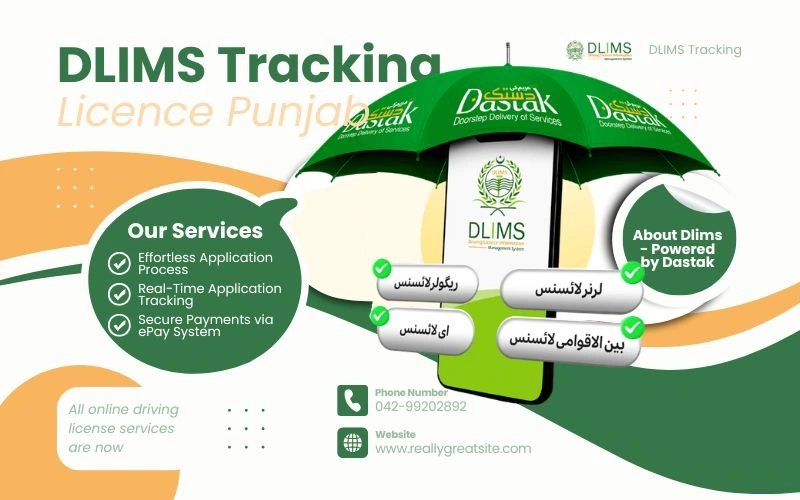
DLIMS — which stands for Driving License Information Management System — is the official digital platform launched by Punjab Traffic Police in partnership with the Punjab Information Technology Board (PITB). It takes the entire driving licence process — application, payment, tracking, verification, and delivery — and puts it all online, accessible from your phone or laptop, 24 hours a day, 7 days a week.
No more standing in queues. No more unnecessary trips to a licensing office. No more wondering where your licence is. With DLIMS Tracking Licence Punjab, you know exactly what’s happening at every single stage.
What Is DLIMS 2.0 and Why Does It Matter?
If you’ve used the old system before, you’ll immediately notice the difference with DLIMS 2.0. This upgraded version was developed by PITB and represents a full transformation of how driving licences are managed in Punjab.
DLIMS 2.0 is not just a tracking portal. It’s a complete digital licensing ecosystem that includes:
- Online application for learner permits and permanent licences
- PSID-based secure payment via mobile wallets and ATMs
- Real-time DLIMS Online Check Tracking for every application stage
- Instant learner permit download after successful payment
- AI-based test supervision for fair driving test evaluation
- Direct integration with Punjab Police’s e-Challan system
- DLIMS E Licence download with QR code verification
- Challan history and traffic fine management in one dashboard
The system is now an integrated component of the Government of Punjab’s Dastak platform — a single window for all government services. This means DLIMS Punjab is not a standalone service anymore. It’s part of a larger, smarter government digital infrastructure that puts citizens first.
DLIMS Tracking Licence Punjab: 7 Steps to Check Your Status Right Now
Let’s get straight to what you’re here for. Here are the 7 proven steps to use DLIMS Tracking Licence Punjab and find your application status in under 60 seconds.
Step 1: Open the Official DLIMS Portal
Open your browser on any device — phone, tablet, or laptop. Go to dlims.punjab.gov.pk. The website works on all devices and browsers without any special software. You will see a clean, easy-to-use homepage.
Step 2: Find the Track Licence Option
On the homepage, look for the “Track Licence” or “Track Application” option. It’s clearly visible on the navigation menu. Click on it.
Step 3: Enter Your 13-Digit CNIC Number
Type your CNIC number carefully — without dashes. For example, if your CNIC is 35201-1234567-8, enter it as 3520112345678. This is the most common mistake people make with DLIMS Online Check, so double-check before proceeding.
Step 4: Enter the Security Captcha
A captcha code will appear on the screen. Type it correctly. This step protects the system from bots and ensures your data stays secure.
Step 5: Click Track / Search
Hit the search or track button. The DLIMS Tracking Licence Punjab system will instantly connect to the Punjab Traffic Police database and pull your application record.
Step 6: Read Your Application Status
Your result will appear within seconds. The system shows you the current stage of your application. Here is a quick breakdown of what each status means:
Step 7: Take Action Based on Your Status
If your licence is dispatched, note the courier tracking number. If it shows a delay or issue, contact the 1915 helpline or visit your nearest Khidmat Markaz with your CNIC and application receipt.
DLIMS Application Status — What Each Stage Means
| Status | What It Means | Action Required |
|---|---|---|
| Application Received | Your form is submitted; processing has not started yet | Wait; check again in 1–2 days |
| Under Verification | Documents and CNIC details are being checked | Ensure your documents are correct |
| Biometric Processing | Your fingerprints and photo are being processed | No action needed |
| Test Scheduled | Your driving test date has been assigned | Prepare for and attend the test |
| Test Passed | You cleared the driving test | Await printing and dispatch |
| Printing in Progress | Your licence card is being printed | Wait 2–3 working days |
| Dispatched | Your licence has been sent via courier | Track using courier number |
| Ready for Collection | Your licence is at the licensing centre | Visit centre with CNIC |
| Delivered | Your licence has been delivered | Check your address/mailbox |
| On Hold / Rejected | An issue was found with your application | Visit the licensing centre with documents |
How to Do DLIMS Online Check Using CNIC
DLIMS Online Check CNIC is slightly different from tracking. Tracking tells you where your application is in the process. The DLIMS Verify function tells you whether an existing licence is valid, what category it covers, and when it expires.
Here’s how DLIMS Verification works:
- Go to dlims.punjab.gov.pk
- Click on “Verify Licence” or “Licence Verification”
- Enter your 13-digit CNIC number (no dashes)
- Enter the captcha
- Click Search
The DLIMS Punjab Verification result shows you:
- Licence holder’s name and CNIC
- Licence number and type (Bike, LTV, HTV, PSV)
- Issue date and expiry date
- Allowed vehicle categories
- Current licence status (Valid / Expired / Suspended)
This feature is incredibly useful for employers verifying driver credentials, traffic police during road checks, and individuals confirming their licence is still active before a long drive. This is what DLIMS Online Check Punjab is all about — instant, accurate, zero-hassle.
DLIMS E Licence Punjab: Your Digital Licence Is Real and Legal
One of the most celebrated features of DLIMS 2.0 is the DLIMS E Licence. This is a fully legal, government-issued digital version of your driving licence that you can download to your phone, print at home, or store in any cloud service.
How to Download Your DLIMS E Licence
- Visit dlims.punjab.gov.pk
- Go to the “E-Licence” section
- Enter your CNIC number and date of birth
- Enter the captcha
- Your digital licence appears with full details and a QR code
- Download as PDF or save to your device
Your DLIMS E Licence contains:
- Your photograph and signature
- Licence number and category
- Issue date and expiry date
- CNIC linkage
- QR code for instant roadside verification
- Government of Punjab authentication seal
Traffic police across Punjab accept the DLIMS E Licence as a valid document during routine checks. You can also use it for official purposes if you temporarily lose your physical card. The QR code makes fraud virtually impossible — a quick scan confirms authenticity in seconds.
DLIMS Online Apply: How to Get Your Licence Without Visiting an Office
Here’s the good news — you don’t need to visit a traffic office at all anymore. DLIMS Online Apply through DLIMS 2.0 makes the entire application process fully digital.
Applying for a Learner Permit Online
| Step | Action | Time Required |
|---|---|---|
| 1 | Visit dlims.punjab.gov.pk and click Sign Up | 2 minutes |
| 2 | Create account using CNIC and mobile number | 2 minutes |
| 3 | Fill application form — personal details, address, licence category | 5 minutes |
| 4 | Upload passport-size photograph | 1 minute |
| 5 | Submit form and receive PSID number | Instant |
| 6 | Pay fee via EasyPaisa, JazzCash, ATM, or online banking | 3 minutes |
| 7 | Receive payment confirmation and download learner permit | Instant |
Total time: Under 15 minutes. Fee: Rs. 500 per category.
The digital learner permit is available for download immediately after payment. No waiting. No visits. No queues. That’s the power of DLIMS Punjab.
DLIMS Login: Managing Your Account
DLIMS Login is your personal gateway to all services. Once logged in, your dashboard shows you:
- All active and past licence applications
- Payment history and PSID records
- Challan and traffic fine history
- Driving test schedule and results
- Current licence status and expiry date
- Download links for your DLIMS E Licence
To log in, visit dlims.punjab.gov.pk, click “Login”, enter your CNIC and password, and you’re in. If you haven’t registered yet, DLIMS Online Apply registration takes less than 5 minutes.
DLIMS Punjab Delivery Tracking: Where Is Your Physical Licence Card?
Once your licence is approved and printed, DLIMS Punjab Delivery tracking kicks in. The system updates your dashboard with dispatch information including:
- Dispatch date
- Courier company name
- Tracking number for the courier
You can use this tracking number on the courier company’s website to follow your physical licence card all the way to your door. Typical delivery times across Punjab range from 3 to 7 working days after dispatch.
If your licence is delayed, use the 1915 helpline or visit your nearest Khidmat Markaz. Always carry your CNIC and PSID receipt when seeking help.
DLIMS Across Pakistan: Punjab, KPK, Sindh, Islamabad & Beyond
DLIMS Punjab is the most advanced implementation of the system, but DLIMS operates across Pakistan with province-specific portals and features.
| Province/Region | Platform | Key Feature |
|---|---|---|
| DLIMS Punjab | dlims.punjab.gov.pk | DLIMS 2.0, E-Licence, Dastak integration |
| DLIMS KPK | KPK Traffic Police portal | Online licence verification by CNIC |
| DLIMS Islamabad | Islamabad Traffic Police portal | City app integration for verification |
| DLIMS Sindh | Sindh Excise & Taxation Dept | Online driving licence check Karachi |
| Balochistan | Traffic Police Quetta app | Regional verification system |
For Driving License Karachi and Online Driving License Karachi, the DLIMS Sindh portal managed by the Sindh Excise and Taxation Department handles licence issuance and verification. The process is similar — CNIC-based search, online status check, and digital licence download.
DLIMS Islamabad serves residents of the federal capital through the Islamabad Traffic Police portal, with the City app offering mobile-based verification.
DLIMS KPK handles all Khyber Pakhtunkhwa licences through the provincial traffic police system.
The beauty is that the underlying DLIMS framework is consistent — same logic, same transparency, same digital-first approach — just adapted for each province’s needs.
Online Driving Licence Renewal Through DLIMS
Online Driving License Renewal in Punjab became official from January 1, 2024. Here’s a quick look at the renewal process and fees:
Renewal Fees (Punjab — Updated 2026)
| Licence Type | Annual Renewal Fee |
|---|---|
| Motorcycle / Auto | Rs. 500 |
| LTV (Light Transport Vehicle) | Rs. 150 per year |
| HTV (Heavy Transport Vehicle) | Rs. 200 per year |
| Learner Licence | Rs. 550 |
Documents Required for Renewal
- Copy of CNIC
- Attested passport-size photographs
- Medical fitness certificate
- Application form
- Current driving licence
- Payment receipt / PSID
Licences are valid for 5 years for most categories. For non-transport vehicle holders above 50 years, special extended validity provisions apply (valid up to 20 years for some categories). After renewing online, your E Driving License Punjab is available for download instantly.
Expert Insight: Why DLIMS Punjab Is a Model Digital Service
Public administration experts and digital governance professionals consistently highlight DLIMS Punjab as one of Pakistan’s most successful e-governance implementations. Here’s why:
Centralized Database: All Punjab licensing records are stored in a single, searchable database — eliminating duplicate records, ghost licences, and fraud. [Citation recommended: Punjab Information Technology Board official reports]
Zero-Contact Processing: From application to delivery, a citizen can complete the entire process without visiting a single government office. This reduces opportunities for corruption and saves millions of work-hours annually. [Citation recommended: World Bank e-governance efficiency studies]
Real-Time Updates: The DLIMS tracking system updates in real time. Every status change — from document verification to printing to dispatch — is reflected immediately in the citizen’s dashboard.
AI-Based Testing: DLIMS 2.0 uses AI-supervised driving tests, ensuring that licences are earned fairly and that road safety standards are genuinely maintained.
Integration with Challans: The direct link between DLIMS and the e-Challan system means that traffic violators cannot simply ignore fines — their licence status is directly connected to their compliance record.
DLIMS Reviews: What Real Users Say
Based on publicly available user feedback and platform reviews, here’s an honest picture of DLIMS in real-world use:
| Aspect | User Rating | Common Feedback |
|---|---|---|
| Ease of Use | ⭐⭐⭐⭐ (4/5) | Simple interface; easy CNIC entry |
| Speed of Tracking | ⭐⭐⭐⭐⭐ (5/5) | Results in under 60 seconds |
| E-Licence Download | ⭐⭐⭐⭐ (4/5) | Quick and legally accepted |
| Application Process | ⭐⭐⭐⭐ (4/5) | Smooth for most; occasional document upload issues |
| Delivery Time | ⭐⭐⭐ (3/5) | Can vary; delays during high-demand periods |
| Helpline (1915) | ⭐⭐⭐ (3/5) | Helpful but sometimes busy |
| Overall Satisfaction | ⭐⭐⭐⭐ (4/5) | Major improvement over the old manual system |
Most users are positive about DLIMS Online Check Punjab and the e-licence feature. The most common complaint is occasional delays in physical card delivery during peak periods — though the digital e-licence bridges this gap effectively.
5 Common Mistakes to Avoid on DLIMS Punjab
Mistake 1: Entering CNIC With Dashes
Always type your CNIC without dashes (3520112345678, not 35201-1234567-8). This single error causes most failed DLIMS Online Check CNIC searches.
Mistake 2: Paying Without a PSID
Never pay at a bank counter or through cash without a valid PSID number. Only PSID-based payments are officially recorded in DLIMS 2.0. Paying without PSID means your payment may not link to your application.
Mistake 3: Uploading Unclear Photos
A blurry or incorrectly cropped photograph is one of the top reasons for application rejection. Use a clear, recent, white-background passport-size photo.
Mistake 4: Not Checking Status Regularly
Don’t just apply and forget. Check your DLIMS Tracking Licence Punjab status every 2–3 days. If an issue arises — like incomplete documentation — catching it early saves weeks of delay.
Mistake 5: Ignoring the E-Licence Option
Many people wait for the physical card and skip downloading their DLIMS E Licence. Don’t! The e-licence is legal, immediately available, and saves you from problems if your physical card is delayed.
Quick Reference: DLIMS Services at a Glance
| Service | How to Access | Time to Complete |
|---|---|---|
| DLIMS Tracking Licence Punjab | dlims.punjab.gov.pk → Track Licence | Under 60 seconds |
| DLIMS Online Check CNIC | dlims.punjab.gov.pk → Verify Licence | Under 30 seconds |
| DLIMS E Licence Download | dlims.punjab.gov.pk → E-Licence | Under 2 minutes |
| DLIMS Online Apply | dlims.punjab.gov.pk → Apply | Under 15 minutes |
| DLIMS Online Renewal | dlims.punjab.gov.pk → Renew | Under 15 minutes |
| DLIMS Punjab Delivery Track | Dashboard → Dispatch Info | Instant |
| DLIMS Login | dlims.punjab.gov.pk → Login | Under 1 minute |
| DLIMS Verify | dlims.punjab.gov.pk → Verify | Under 30 seconds |
Conclusion: DLIMS Tracking Licence Punjab Is the Smarter Way to Drive Forward
DLIMS Tracking Licence Punjab has completely changed how Punjab’s 110+ million residents interact with the driving licence system. What used to require multiple office visits, long queues, and weeks of uncertainty now takes a few clicks and less than a minute.
Here are the key takeaways:
- DLIMS 2.0 is the latest version of Punjab’s digital licensing system, powered by PITB and Punjab Traffic Police.
- You can track your application, verify your licence, download your DLIMS E Licence, and renew online — all from one portal.
- Use your 13-digit CNIC (no dashes) to access all DLIMS Online Check Punjab services.
- DLIMS Punjab Verification works for all licence types — Bike, LTV, HTV, and PSV.
- The DLIMS E Licence is legally valid and accepted by traffic police across Punjab.
- DLIMS Sindh, DLIMS KPK, and DLIMS Islamabad follow a similar framework for their respective provinces.
- Always pay through PSID only — no PSID means no record.
- For any issue, call 1915 or visit the nearest Khidmat Markaz.
Whether you’re a first-time applicant, a renewal candidate, or someone just trying to check if their licence is still valid, DLIMS Tracking Licence Punjab is your fastest, safest, and most reliable option. Use it. Trust it. And most importantly — drive safely.
Frequently Asked Questions (FAQs)
Q1. How do I use DLIMS Tracking Licence Punjab to check my application status?
Visit dlims.punjab.gov.pk, click on “Track Licence”, enter your 13-digit CNIC number without dashes, complete the captcha, and click Search. Your real-time application status will appear instantly. DLIMS Tracking Licence Punjab is completely free and available 24/7.
Q2. What is DLIMS 2.0 and how is it different from the old system?
DLIMS 2.0 is the upgraded digital licensing platform by Punjab Traffic Police and PITB. Unlike the old system that required office visits for every step, DLIMS 2.0 allows citizens to apply, pay, track, verify, and download licences entirely online. It also includes AI-based test supervision and direct e-Challan integration.
Q3. Is the DLIMS E Licence legally valid in Punjab?
Yes. The DLIMS E Licence is fully legal and officially recognized by Punjab Traffic Police. It contains your photograph, licence category, issue and expiry dates, CNIC linkage, and a QR code for instant verification. Traffic police across Punjab accept it during routine checks.
Q4. How do I do an DLIMS Online Check using my CNIC?
Go to dlims.punjab.gov.pk, click “Verify Licence”, enter your 13-digit CNIC without dashes, enter the captcha, and hit Search. The DLIMS Online Check CNIC result shows your licence type, validity, issue date, and allowed vehicle categories within seconds.
Q5. How long does DLIMS Punjab Delivery take after a licence is approved?
After approval and printing, physical DLIMS Punjab Delivery typically takes 3 to 7 working days depending on your district. You can track the exact courier status through your DLIMS dashboard. While waiting, download your DLIMS E Licence for immediate legal use.
Thank you for reading! For more insights on courier services and tracking systems, check out our previous article on.
- www.shreetirupaticourier.net tracking
- Trackon Courier Tracking Delhivery
- ABT Parcel Service Trackings
- Tirupati Courier Bangalore
- Tirupati Courier Pune Tracking
- Shipment Redirected on Same AWB
- Delivery Challan Format
- Tirupati Courier Chennai
- Tirupati Courier Nagpur
- Tirupati Courier Lucknow
- Tirupati Courier Nashik
- Courier Address Format
- Tirupati Courier Bhuj
- CSC Dak Mitra services
- BRBN Tracking
- What is 1 800 208 9898 in Flipkart Number?
- Elastic Run Tracking