CPCT Exam Preparation Guide Using KrutiDev to Unicode Converter to Maximize Your Score
The CPCT Computer Proficiency Certification Test is one of the most important qualifying exams for government jobs in Madhya Pradesh. Clearing the Hindi typing component requires not just fast fingers, but a thorough understanding of how KrutiDev text is processed, scored, and submitted through the exam system. Many candidates lose marks not because of typing errors, but because of avoidable technical mistakes in how they practice and prepare.
This guide explains exactly how to use a KrutiDev to Unicode converter as a daily practice tool, what to watch out for in the exam, and how to build the accuracy and speed that CPCT demands.
What the CPCT Hindi Typing Test Actually Measures
The CPCT Hindi typing test evaluates two things: speed (measured in words per minute) and accuracy (measured as an error percentage). The exam accepts typing in either the Remington (KrutiDev) layout or the Inscript layout, but all scoring and digital processing happens in Unicode on the backend.
This is the critical technical fact that many candidates are unaware of: when you type in KrutiDev on the exam system, the software converts your input to Unicode to compare it against the target passage. Any character that does not convert correctly counts as an error. This is why practicing with a converter that accurately handles all KrutiDev 010 characters including complex conjuncts and matras is not just helpful. It is essential for achieving the best possible score.
The 5-Step Daily Practice Routine for CPCT Hindi Typing
Step 1: Type a practice passage in KrutiDev
Select a standard Hindi passage of 200 to 300 words ideally from past CPCT exam papers. Type it using your usual KrutiDev 010 keyboard layout. Focus on accuracy first, speed second. Typing fast with errors is counterproductive because error penalties can dramatically reduce your effective words-per-minute score.
Step 2: Paste into a KrutiDev to Unicode converter
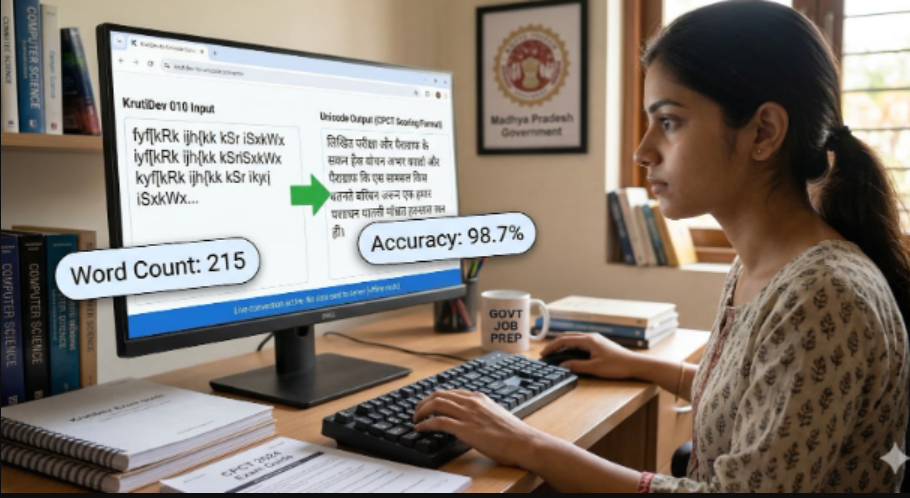
Copy your typed passage and paste it into a reliable converter such as krutidev10 to unicode The conversion should happen automatically as soon as you paste, with no button press required. You will see the Unicode output appear immediately in the output field.
Step 3: Use the built-in word counter to track progress
A good converter includes a real-time word and character counter that updates as you type. This lets you monitor your word count against the CPCT passage requirements without switching to a separate tool. Check both the KrutiDev input count and the Unicode output count to ensure they match; a significant difference can indicate encoding issues in your source text.
Step 4: Compare the Unicode output against the target passage
Read through the converted Unicode text carefully. Every character should match the original target passage exactly. Pay special attention to conjunct consonants (क्ष, त्र, ज्ञ), half characters used before consonant clusters, and the placement of matras above, below, and around base characters. Any discrepancy indicates a typing error or a keyboard shortcut you are not executing correctly.
Step 5: Identify error patterns and correct technique
Keep a log of the types of errors you make most frequently. Common problem areas for KrutiDev typists include incorrect key sequences for conjunct consonants, mixing up similar-looking matras (ि vs ी, ु vs ू), and misplacing the halant (virama) that forms half-characters. Once you identify your personal error patterns, you can drill those specific character combinations until they become automatic.
Key KrutiDev Characters That Commonly Cause Conversion Errors
Some character sequences in KrutiDev 010 require the typist to input multiple keystrokes in a precise order. If the sequence is wrong, the converter produces incorrect Unicode and the CPCT system counts it as an error. The following are the highest-risk areas for CPCT candidates:
• Conjunct consonants (क्ष, त्र, ज्ञ): These require specific key combinations that differ from their individual component letters. They appear frequently in standard Hindi passages and must be typed as single units, not as two separate characters.
• The i-matra (ि) and its positioning: In KrutiDev, the i-matra key must be pressed before the base consonant it belongs to, even though it visually appears to the left. This counterintuitive input sequence trips up many candidates who are used to left-to-right typing logic.
• Half-characters before consonant clusters: Words containing clusters like प्र, क्ल, or स्त require the half-character form of the first consonant. In KrutiDev, this is typically entered by pressing a specific key before the base character key. Missing this step produces an entirely different word.
• Chandrabindu (ँ) vs Anusvar (ं): These are two distinct nasalization marks that are frequently confused. They are assigned to different keys in KrutiDev 010 and produce different Unicode characters, both of which affect word meaning.
How to Use the Unicode to KrutiDev Direction for Exam Practice
The reverse conversion from Unicode to KrutiDev is equally useful for exam preparation. Here is how to use it effectively:
1. Find a Unicode Hindi passage from a news website, government notification, or educational resource.
2. Paste it into the Unicode to KrutiDev converter.
3. Use the KrutiDev output as a typing exercise you now have fresh, varied practice material rather than recycling the same passages repeatedly.
4. Compare your typed output to the original Unicode source using the converter’s output field to spot any errors.
This approach gives you an unlimited supply of realistic practice material while reinforcing your converter usage skills simultaneously.
Privacy and Security During Exam Preparation
Government exam candidates frequently work with official study materials, past question papers, and mock test passages that may be sensitive. When choosing a converter for exam preparation, it is important to select a tool that processes text entirely within your browser using JavaScript, without sending your text to any external server. This ensures that your practice materials remain completely private and are never logged or stored by the tool.
You can verify this yourself by loading the converter page, then disconnecting your internet connection. If the conversion still works offline, it confirms that all processing happens locally on your device and nothing is being transmitted to a server.
Beyond CPCT: Other Exams Where This Workflow Applies
The KrutiDev-to-Unicode conversion workflow described in this guide applies equally to candidates preparing for:
• MP Vyapam (Madhya Pradesh Professional Examination Board) typing tests and digital document submission
• Rajasthan Patwari and RSMSSB Hindi typing with specific word count requirements
• UPSSSC (Uttar Pradesh Subordinate Services Selection Commission) online forms that reject non-Unicode text
• UP Police Sub-Inspector and Computer Operator exams
• State e-governance portals across MP, UP, Rajasthan, and Chhattisgarh
In every one of these scenarios, typing is done in KrutiDev, but submission and scoring happen in Unicode. The conversion bridge is the same, and the quality of that bridge directly determines your accuracy score.
Conclusion: Make the Converter Part of Your Daily Routine
The candidates who perform best in CPCT and similar Hindi typing exams are not always the fastest typists they are the most accurate ones. Building accuracy requires deliberate practice with immediate feedback, and that is exactly what a real-time KrutiDev to Unicode converter provides.
By integrating this into your daily practice routine using the automatic conversion, live word counter, and both conversion directions you gain a comprehensive feedback loop that textbooks and typing tutors alone cannot provide. Convert your practice text, review the output, identify your error patterns, and improve systematically. That is the path to a high CPCT score.